cTrader integration
Install and configure the official gexbot indicator for cTrader Automate.
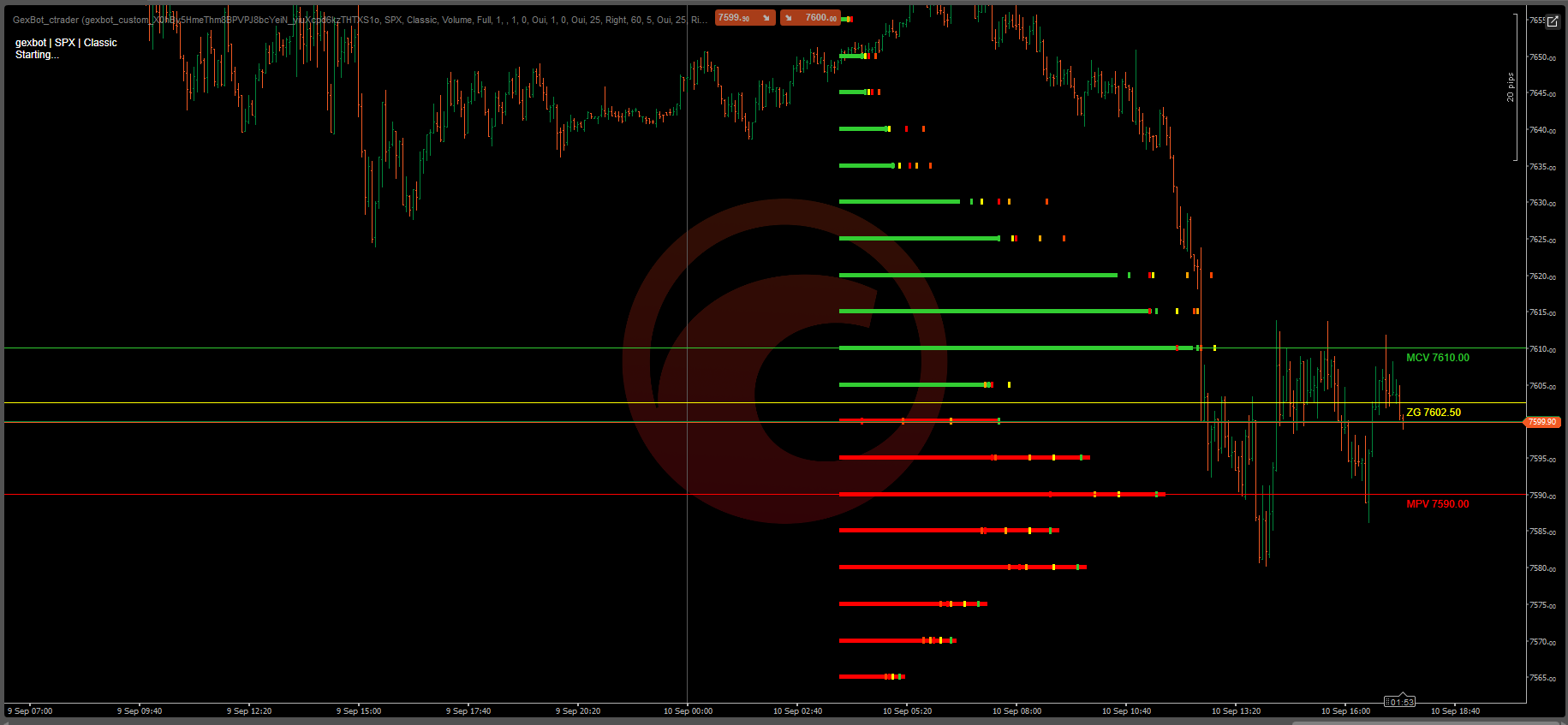
The gexbot cTrader indicator renders GEX and Greek profiles, major levels, prior-change dots, and automatic futures conversion directly on a cTrader Automate chart. It matches the feature set of the gexbot ATAS X plugin.
Requirements
- You need cTrader Desktop with Automate access.
- You need an active gexbot subscription with API access.
- You need your API key. Copy it from Connections.
Install
Download GexBot_ctrader.rarExtract the .algo file
Extract GexBot_ctrader.algo from the downloaded archive.
Copy it into your sources folder
Copy the file into your cTrader Automate sources folder:
Documents\cAlgo\Sources\Indicators\Restart cTrader
The indicator appears automatically in Automate → Indicators as GexBot_ctrader. No import step is needed.
Adding it to a chart
Open Automate
Open a chart and click the Automate tab.
Add the indicator
Find GexBot_ctrader in the Indicators list and add it.
Configure it
Open its settings and paste your API Key first. Nothing else works without it. Then continue with the Configuration tab above.
Nothing showing up on your chart?
If the indicator loads but no profile or level appears, see Nothing is showing up on my chart in the FAQ tab above before contacting support.
Every setting below lives in the indicator's own parameters panel, grouped as shown.
API Settings
| Setting | What it does |
|---|---|
| API Key | Your gexbot API key. Required. Nothing else works without it. |
| Ticker | The symbol requested from the API, for example SPX. It is independent from the chart's own symbol. |
| GEX Model | Classic combines Volume and Open Interest GEX. State is classified Volume-only GEX. State0dteGamma, State1dteGamma, State0dteDelta, and State1dteDelta each show a single Greek profile, never combined with GEX. |
| Classic Profile: GEX Source | Only used when GEX Model is Classic. Shows either the Volume or the OI side of the profile, along with its matching major lines, but never both at once. |
| Aggregation Period | Full is a 90-day aggregate. Zero covers options expiring today (0DTE). One covers the next expiration (1DTE). |
| Refresh Interval (sec) | How often the indicator re-fetches data and redraws. |
Futures Conversion
| Setting | What it does |
|---|---|
| Futures Target | The target futures contract for automatic price conversion, for example ES or NQ. Leave it blank to disable. |
| Multiplier (auto) / Additive / Premium (auto) | Filled in automatically once a Futures Target is set. Refreshed at startup, at 9:30 and 9:32 AM ET, and every 15 minutes after that. |
| Show Conversion Info | Shows the resolved contract, the multiplier, and the additive on the chart. |
Strike Transform
| Setting | What it does |
|---|---|
| Strike Multiplier / Strike Additive Offset | An extra manual multiplier and offset applied on top of the automatic futures conversion. Most users leave these at their defaults of 1 and 0. |
GEX Volume Profile / GEX OI Profile / Greek Profile
Each of these three groups shares the same controls: Show, Profile Width (% of canvas), Bar Alignment (Left, Right, or Center), Origin Position (% of canvas), bar colors, and Bar Thickness (px).
In Classic mode, only one of GEX Volume or GEX OI actually renders at a time, following the Classic Profile: GEX Source setting above. The Greek Profile only produces data when GEX Model is set to one of the State* Greek options.
Major Lines
Seven groups are available: Pos Vol, Neg Vol, Zero Gamma, Pos OI, Neg OI, Long Greek, and Short Greek. Each group has Show Line, Color, Thickness, Style (line dash style), and Show Label.
Zero Gamma always shows when enabled. The Pos/Neg Vol pair and the Pos/Neg OI pair follow the same Classic Vol/OI selector as the profile bars, so only one pair is relevant at a time in Classic mode.
GEX Prior Dots / Greek Prior Dots
Small markers positioned along the same axis as the bar, using each lookback window's own historical value, like a trail of "ghost tips" showing where the bar's tip used to be. GEX has 5 windows (1, 5, 10, 15, and 30 minutes). Greek has 3 windows (5, 15, and 30 minutes). These are never shown on the OI side, matching the convention on gexbot's other platform clients.
Status
| Setting | What it does |
|---|---|
| Show Status Text | Toggles a small on-chart readout showing the ticker, the model, and the last error if any. |
Related Documentation
Bookmap integration
Install and configure the official gexbot add-on suite for Bookmap featuring Orderflow, Classic, State profiles, and multi-profile charting.
TradingView integration
Install and configure the gexbot TradingView Desktop companion to stream GEX, Gamma, Vanna, and Charm exposure profiles directly onto your charts.